One baseline, many clients: how MSP policy inheritance should work
Table of Contents
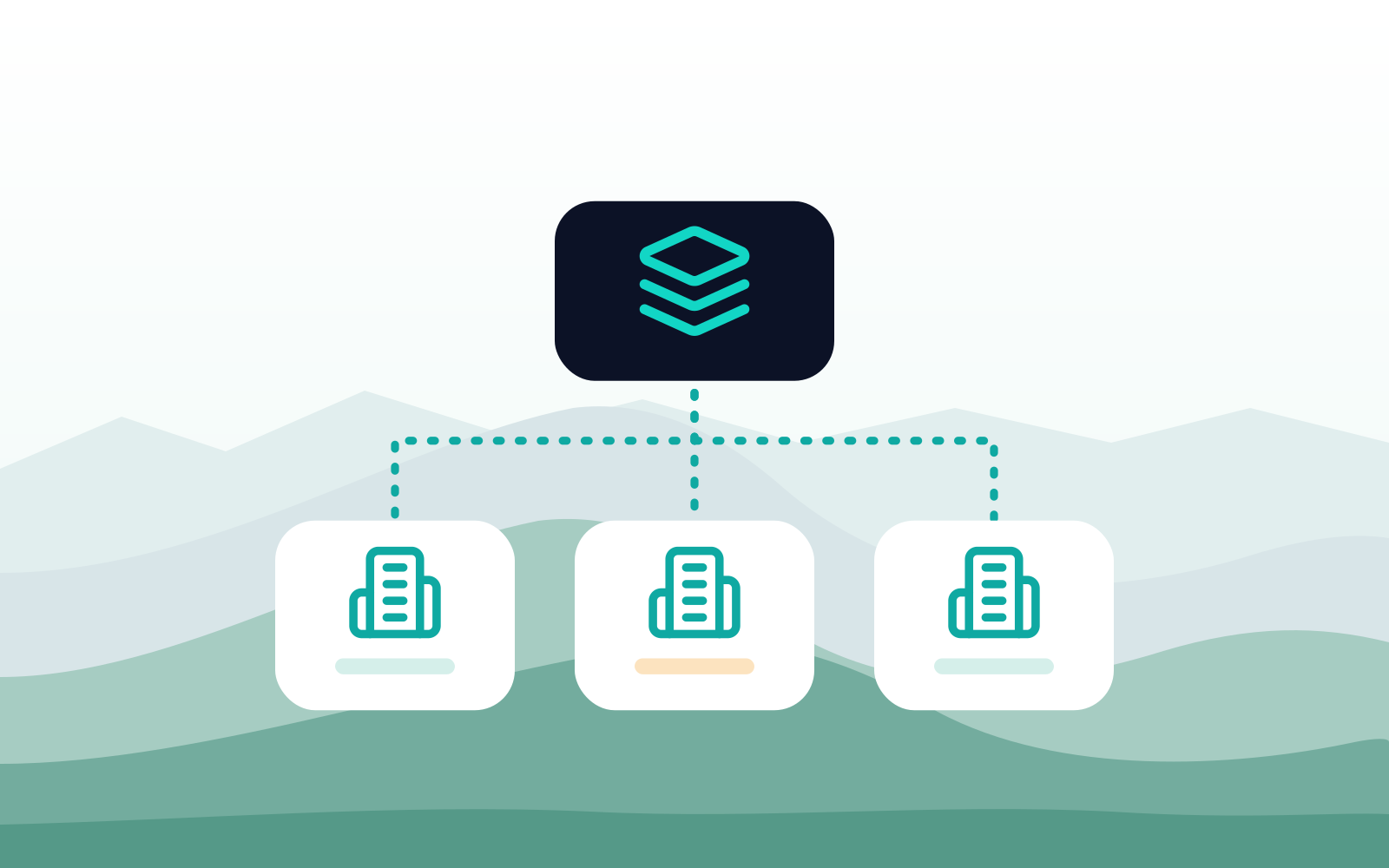
Policy inheritance lets an MSP define security rules once as a shared baseline, apply that baseline to every client, and add client-specific exceptions on top. Rules should apply in a clear order: user or group exceptions first, then client rules, then the baseline. Done well, it ends copy-paste drift across clients.
Why do per-client policies break down as an MSP grows?
Because every copy starts drifting the day it's made. At five clients, building each policy by hand is manageable. At thirty, it isn't. The usual pattern looks like this:
- The first client gets a carefully built policy. The next ten get copies of it.
- Each copy picks up its own exceptions. A whitelisted vendor portal here, a blocked category unblocked there for one executive.
- A new threat or a new AI tool appears. Now someone has to update thirty policies by hand, and some get missed.
- Nobody can say what "standard" means anymore. Auditing a client means reading its whole policy line by line.
Some MSPs respond by forcing every client onto one identical policy. That fixes the drift but breaks real businesses: the law firm needs different rules from the construction company, and the finance team needs different rules from the warehouse.
What you want is both at once: one standard you maintain in one place, and room for each client to be different where it matters. That's what policy inheritance is for.
What is policy inheritance?
Policy inheritance means a client's effective policy is built from layers instead of written from scratch. Most MSPs need three:
- The baseline. The rules every client gets, maintained once by the MSP. Malicious and phishing sites blocked, risky browser settings locked down, a default stance on AI tools.
- Client rules. What's different about this business. Its approved AI tools, its line-of-business sites, the categories it allows or blocks.
- Group, user, and location exceptions. What's different about part of this business. The finance team, the executives, the front desk, the warehouse network.
The layers only work if the order is clear. The most specific rule should win: a group exception beats a client rule, and a client rule beats the baseline. Within a layer, rules should apply in a visible order, so anyone can predict the result without testing it.
One distinction matters more than any other: inheritance is not the same as copying. A template copied into each client is a snapshot. Change the template and nothing happens to the clients that already have it. A real baseline is a live reference where clients pick up the change because they point at the same rules.
In Atakama, the baseline is a global policy from the Policy Library, applied across all or a subset of tenants. Tenant-specific rules sit above the global policy and take priority, and the tenant-specific rules can be scoped to individual users, existing Security Groups, and specific locations. Rules apply in priority order from top to bottom. For one-off copying, there's also an option to import rules from one tenant into another, which is useful for onboarding but is a copy, not inheritance.
What belongs in the baseline, and what belongs to each client?
Put anything that's true for every client in the baseline, and push everything else down a layer. A good test is to ask whether you'd make the same decision for a dentist as you would for a manufacturer. If you would, it's baseline.
| Policy area | Baseline (every client) | Client layer | Group or location layer |
|---|---|---|---|
| Threat protection | Block malicious, phishing, and newly registered sites | Rarely changed | Rarely changed |
| Browser hardening | Lock down risky settings, turn off built-in password managers | Line-of-business exceptions | Admin or developer exceptions |
| Extensions | Block unapproved extensions | The client's approved list | Team-specific tools |
| AI tools | Warn on unreviewed AI sites | The client's approved AI tools | Extra tools for one team, such as design or research |
| Data protection | Block pastes and uploads to unapproved AI | Client-specific destinations | Tighter rules for finance or HR |
| Web categories | Block categories no business needs | Categories this client allows or blocks | Different rules for a shared kiosk or guest network |
| Sign-in rules | None, since business domains differ per client | Warn on personal logins to approved apps | Stricter rules for privileged users |
Two patterns are worth copying. Keep the baseline small and strict, because every rule in it is a rule you defend for every client. And document why each client exception exists, so the next technician remains in the know.
What does this look like for a 30-client MSP?
Take a hypothetical MSP with 30 clients, from five-person offices to a 200-person distributor.
Before. Every client has its own policy, most of them descendants of the same original. When a new AI tool starts showing up across the client base, a technician spends an afternoon updating policies one by one and misses three. When a client asks what's different about their setup compared with the MSP's standard, nobody can answer without a side-by-side comparison.
The rebuild. The team pulls the rules that appear in nearly every client into one baseline: threat protection, browser hardening, a warn-by-default stance on unreviewed AI sites, and paste and upload blocking to unapproved AI. What's left in each client's policy is the part that's really about that client: approved AI tools, line-of-business sites, and a short list of exceptions with a note on why each exists.
Groups and locations. Two clients need tighter data rules for their finance teams. One client runs shared kiosks on the warehouse floor that need stricter web filtering than the office. Those become group and location rules inside the client layer, not separate policies.
After. A new risky AI site means one change to the baseline. A new client starts on the baseline on day one and gets a client layer in a single onboarding session. A client audit means reviewing a short list of exceptions instead of an entire policy.
The security didn't get looser. It got easier to keep consistent.
What should you look for in a multi-tenant policy tool?
Ask these questions of any security tool you run across clients, whether it's DNS filtering, endpoint protection, or browser security:
- Is the baseline a live link or a copy? If changing the baseline doesn't change the clients, you're managing templates, not inheritance.
- Is the order of precedence visible? You should be able to look at a client and predict which rule wins without testing it.
- Can rules target the client's own groups? Scoping by the client's directory groups beats maintaining separate user lists in each tool.
- Can rules target locations? Office networks, kiosks, and guest Wi-Fi often need different treatment from the people who use them.
- Can you stage a change before it goes live? A baseline edit touches every client, so a review step matters.
- Is there a change history per client? When something breaks, you need to see what changed, when, and who changed it.
- Can access be limited per client? Co-managed IT teams and junior technicians should see only the clients they work on.
- Can you see what's different about each client at a glance? The exceptions are where the risk lives.
In Atakama, policy changes can be saved for review or applied immediately, each tenant has a rule history showing what changed, when, and by whom, and role-based access can limit co-managed IT and technicians to specific tenants.
What are the most common mistakes?
- Building the baseline from your strictest client. It looks secure on paper, then every other client needs a pile of exceptions to function. Build it from what every client genuinely shares.
- Treating exceptions as permanent. An exception added for one project is still there two years later. Give each one an owner and a reason, and review them with the client.
- Scoping by individual users. People change roles and leave. Scope rules to groups from the client's directory so access follows the role, not the person.
- Editing the baseline without a review step. One typo in the baseline affects every client at once. Stage the change, check it on a test or internal tenant, then roll it out.
- Running your own company outside the system. Put your MSP's own tenant on the same baseline. It's the cheapest test environment you'll ever have.
- Forgetting to tell the client what's theirs. Clients should know which rules are the MSP standard and which ones they chose. That conversation makes renewals easier, not harder.
FAQ
What is multi-tenant policy management?
It's how an MSP manages security policy for many clients from one console, with each client kept separate. Good multi-tenant tools combine a shared baseline with per-client rules, so the MSP maintains one standard without forcing every client into the same setup.
Can MSP security tools apply different policies to user groups within one client?
The better ones can. Look for tools that read groups straight from the client's directory, so a finance or executive rule follows the people in that group automatically. In Atakama, client rules can be scoped to specific users, groups, and locations.
What's the difference between a policy template and policy inheritance?
A template is copied into each client, and later changes to the template don't reach existing clients. Inheritance keeps a live link, so clients pick up changes to the baseline. Templates are fine for onboarding. Inheritance is what keeps 30 clients consistent a year later.
Which rule wins when the baseline and a client rule conflict?
The more specific one. A group or location exception should beat a client rule, and a client rule should beat the baseline. If your tool doesn't make that order obvious, document it yourself.
How many policy layers does an MSP need?
Three is enough for most: the baseline, the client layer, and group or location exceptions. More layers make it harder to predict which rule applies.
Can an MSP manage DLP across multiple client environments?
Yes, if the data protection rules sit in the same layered model. Put the common rules in the baseline, such as blocking pastes and uploads to unapproved AI tools, and add each client's own sensitive destinations in the client layer.
Next step
For more on managing many clients from one console, see the MSP partner page and the platform overview. Related: how to make a client's AI policy enforceable.
Related Articles



Stay ahead of browser threats
Get monthly security insights, product updates, and expert guides delivered to your inbox.
No spam. Unsubscribe anytime.